Your approved starting point
Paste Markdown or styled HTML, add placeholders for details such as client, fee and start date, then reuse the structure whenever the same work comes around.
Give your team one clear, repeatable way to prepare the right agreement, guide every signer, keep progress visible and finish with the completed record safely together.
Save the wording and layout once, keep the details that stay the same, and make only the right fields editable. Each new agreement begins polished, consistent and ready to personalise.
Paste Markdown or styled HTML, add placeholders for details such as client, fee and start date, then reuse the structure whenever the same work comes around.
Pre-fill the values that rarely move so each agreement asks only for the decisions that matter this time.
Use the same template system to create completed, immutable PDF documents without opening a recipient signing workflow.
Add everyone who needs to sign, decide which fields belong to each person, and send each one an individual secure link. Standard recipients can review, complete and sign without creating an account.
Schedule delivery and reminders, then follow opens, views, discussion, signatures and completion in one timeline. Everyone on the team can see what is moving and where a friendly nudge may help.
Choose when an agreement goes out and let polite reminders run without another diary task.
See who received, opened, viewed and signed, with one activity trail shared by the workspace.
Keep the final PDF, timestamps and completion record together when the workflow is complete.
Keep each customer’s trusted contact details and template-specific values in one profile. When someone creates an agreement, selecting that customer fills every matching sender field while leaving the agreement open for a final review.
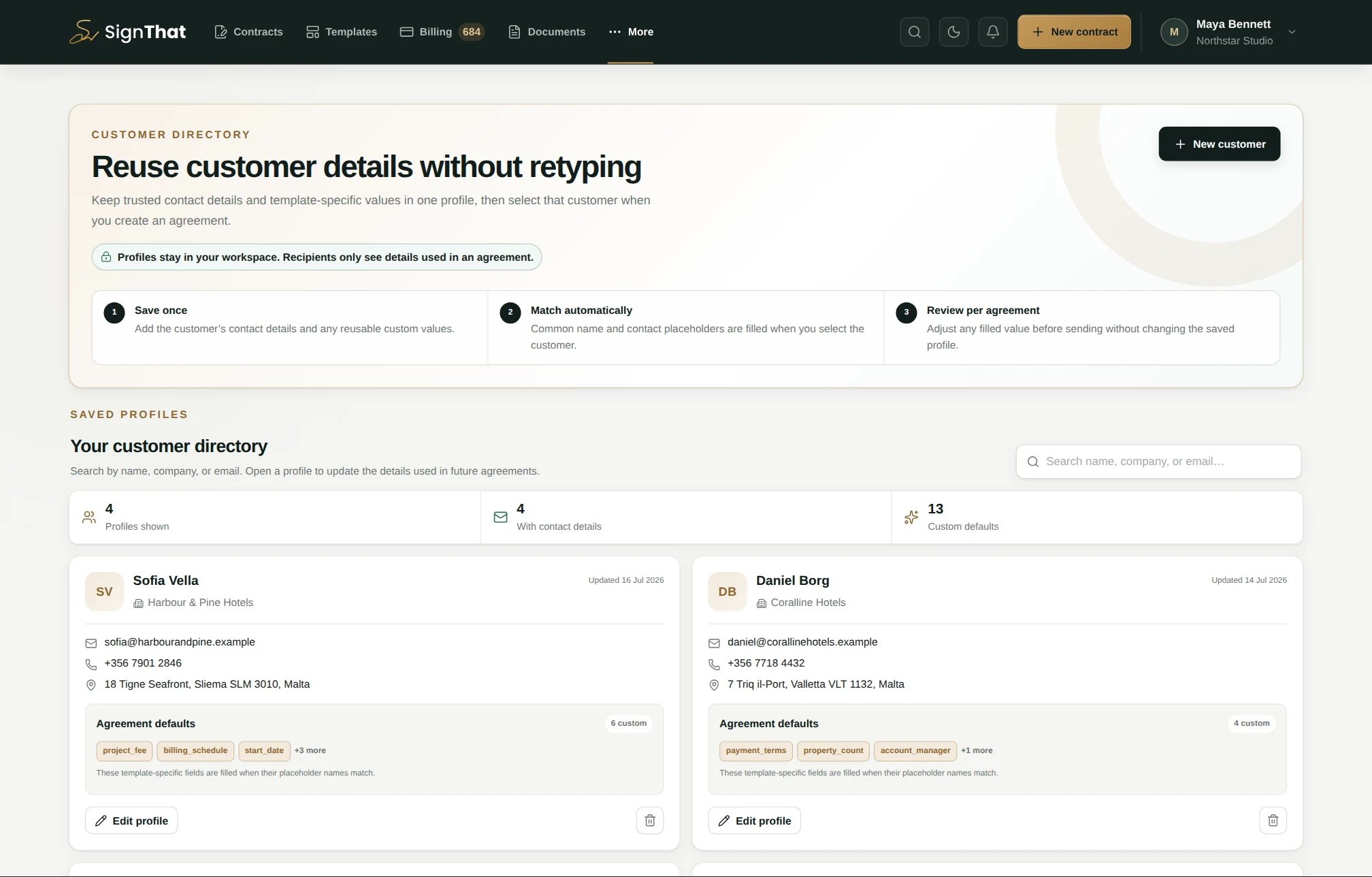
The four fictional profiles show Maltese and international customers, safe example email addresses, current contact details and nine useful custom values.
Name, email, organisation, phone and address map automatically to common client_* and customer_* placeholders.
Store values such as project_fee, billing_schedule or governing_law. A value is inserted only when the placeholder name matches.
The creator can adjust any applied value for this agreement without altering what the next teammate will receive from the saved profile.
Standard contact fields need no custom rows. The profile editor separates those automatic matches from additional placeholder/value pairs, so a teammate can understand the source of every default before saving.
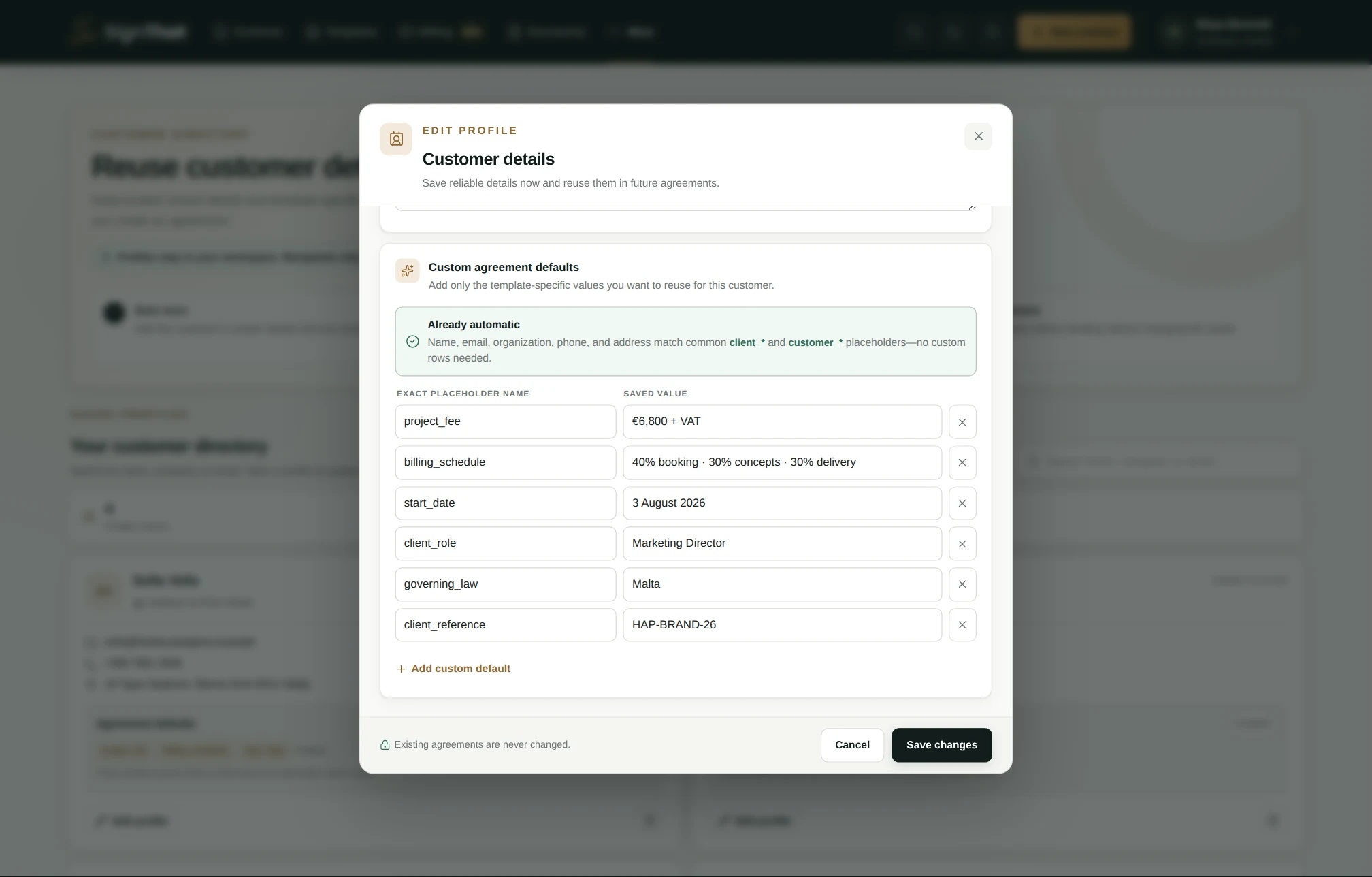
The €6,800 fee, staged billing, 4 August 2026 start date and Maltese governing law are the same values used in the agreement-creation example.
Choose one of six clear starting roles, then narrow access with a department or fine-tune individual permissions. The role guide shows what each preset can see, manage and never reaches before you send an invitation.
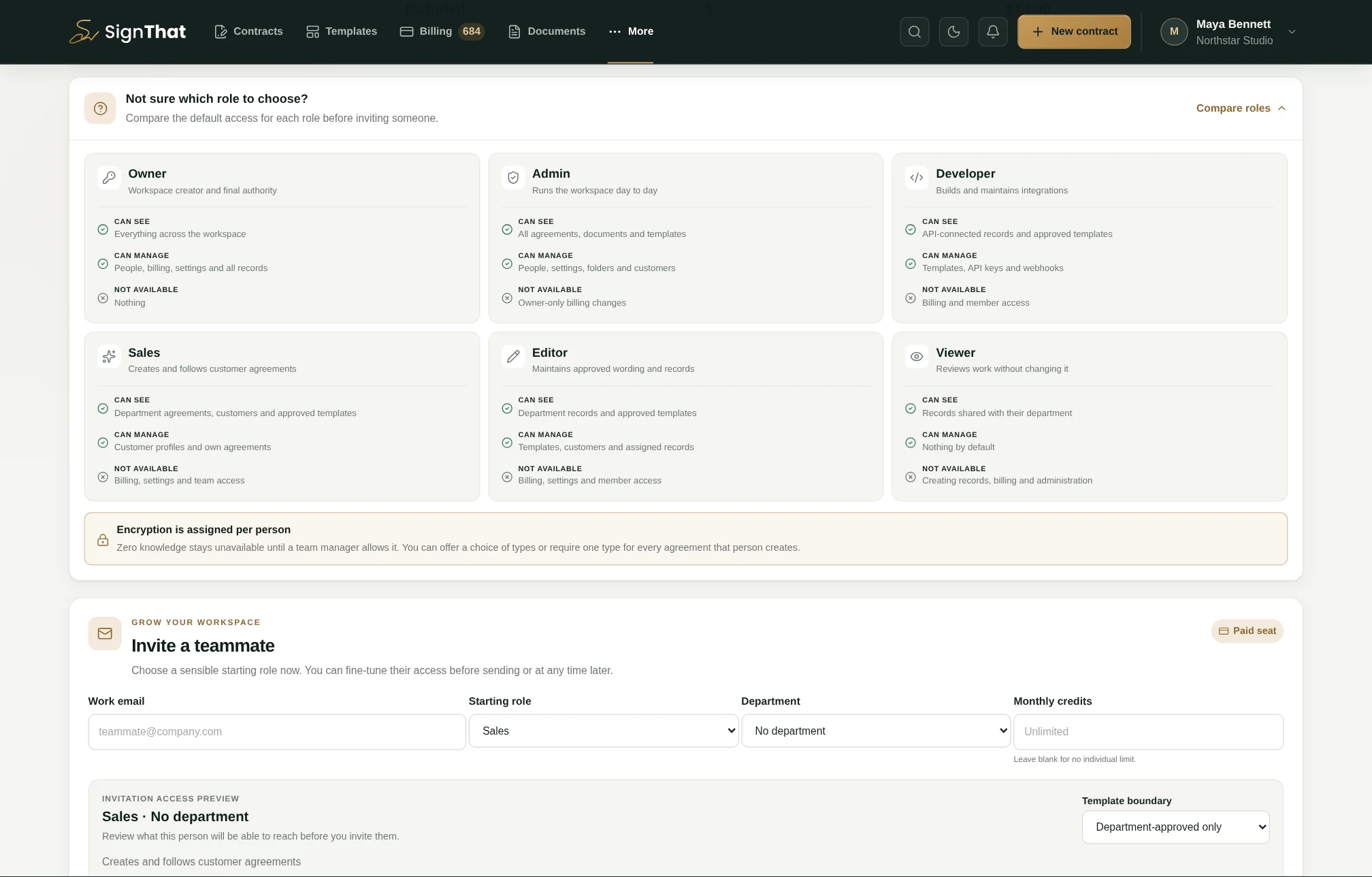
The example workspace and people are fictional, while the role descriptions and controls come from the product.
Full workspace access, including every record and department.
Runs the workspace, team, templates, integrations and day-to-day work.
Builds integrations and can create templates, agreements and documents.
Works with customers and approved templates inside an assigned department.
Creates and manages templates, agreements, documents and customers.
Reads permitted records and department-approved templates without changing them.
Assign a department to restrict records and templates to that team, choose which templates the department may use, and adjust a specific permission only when the role preset is not enough. You can also set a monthly credit allocation and an agreement-encryption policy per person.
Workspace managers can prepare the subject and message for each email SignThat sends. Use placeholders for the recipient, agreement and workspace, then check a realistic live preview before making the wording the default for the team.
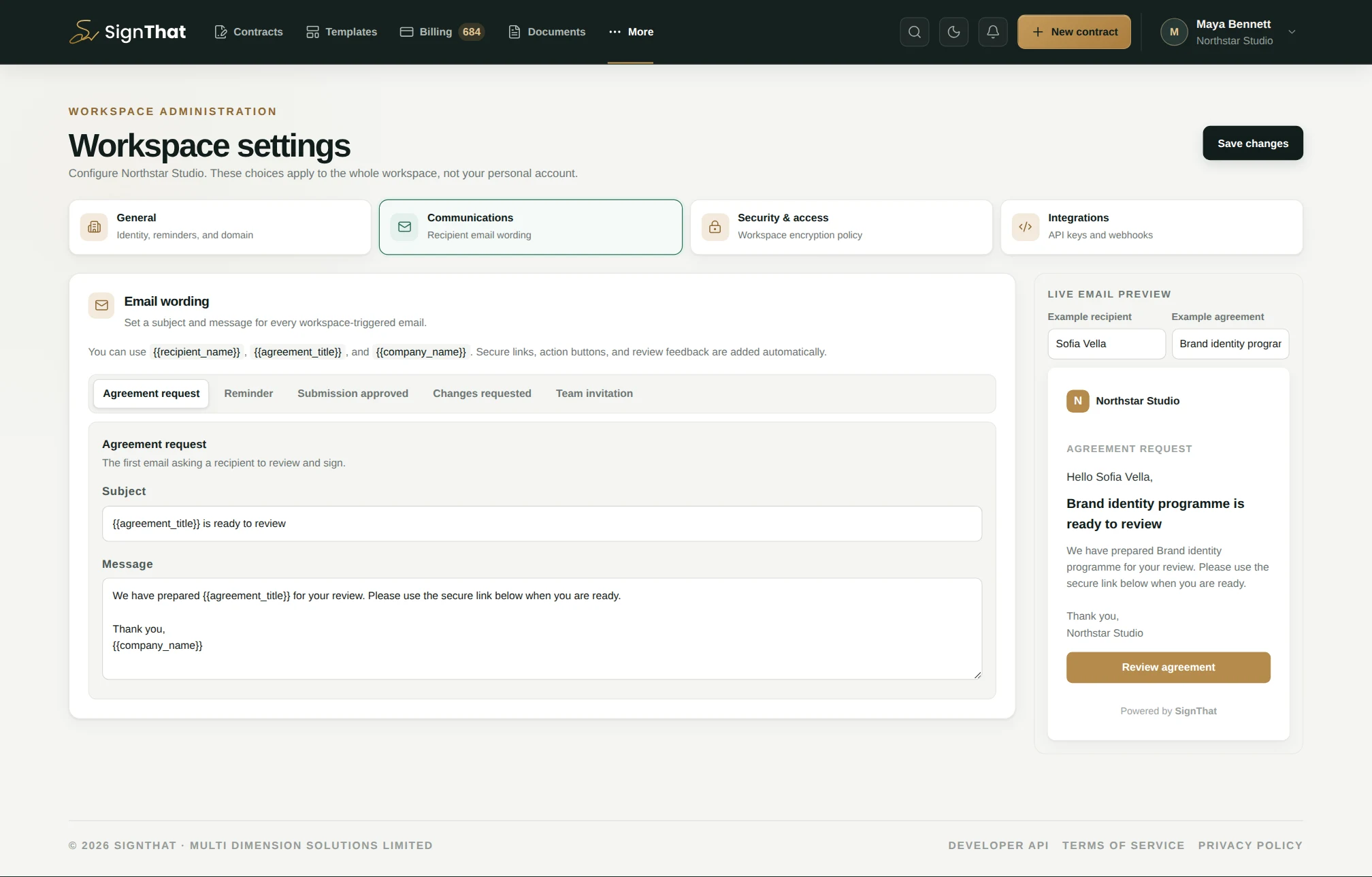
The subject and message reuse the same fictional brand-project agreement shown across the customer, template and creation screens.
Set separate copy for the agreement request, reminder, approved submission, changes requested and team invitation.
Use {{recipient_name}}, {{agreement_title}} and {{company_name}}; the live preview substitutes realistic example values.
The workspace copy is the default. During final review, the sender can replace the agreement message with a more specific note for that send.
Add your logo, brand colour, email message and custom-domain setting. Give departments and roles the right level of control, or connect the workflow to another system with company-scoped API keys and signed webhooks.
Explore API access →Build the reusable version once, then give every agreement a clear path to signed.