Protect the momentum
Keep every next step visible and moving before enthusiasm fades into follow-up.
An unsigned agreement can hold up revenue, delivery, onboarding and renewal. SignThat turns approved terms into a clear, trackable signing workflow—so every recipient knows what to do, your team knows what is happening, and the next step starts sooner.
A verbal yes is not the finish. Until the right version reaches the right people and comes back complete, revenue, delivery, hiring or renewal is still waiting.
“Great—send it over.”
That sentence should trigger action, not a scavenger hunt. But someone still has to find the right file, personalise it, send it, chase it and prove what came back.
Right version preparedCreated from the reusable template
ReadySecure links sentDelivered to two recipients
09:16Progress stayed visibleOpens, views and reminders tracked
LiveEveryone signedCompletion record created
DoneReady for work to startFinal PDF and record in one place
→Keep every next step visible and moving before enthusiasm fades into follow-up.
Reuse approved wording, fields and defaults instead of rebuilding every agreement.
Keep the final PDF, timestamps and completion evidence together when you need them.
If a signature unlocks work, onboarding, revenue or renewal, managing that handoff is business-critical—not optional admin.
Remove the signing bottleneck →Turn approved wording into a repeatable workflow anyone on the team can run—without rebuilding the document or reinventing the follow-up.
Build my first workflow →Paste Markdown or styled HTML, add {{fields}}, then save the wording, layout and defaults your team should reuse.
Fill the specifics, assign fields, add every recipient and send each person a clear, secure signing step from your branded workspace.
Follow every recipient in real time while scheduled reminders keep things moving. Once everyone signs, the final PDF and completion record are ready.
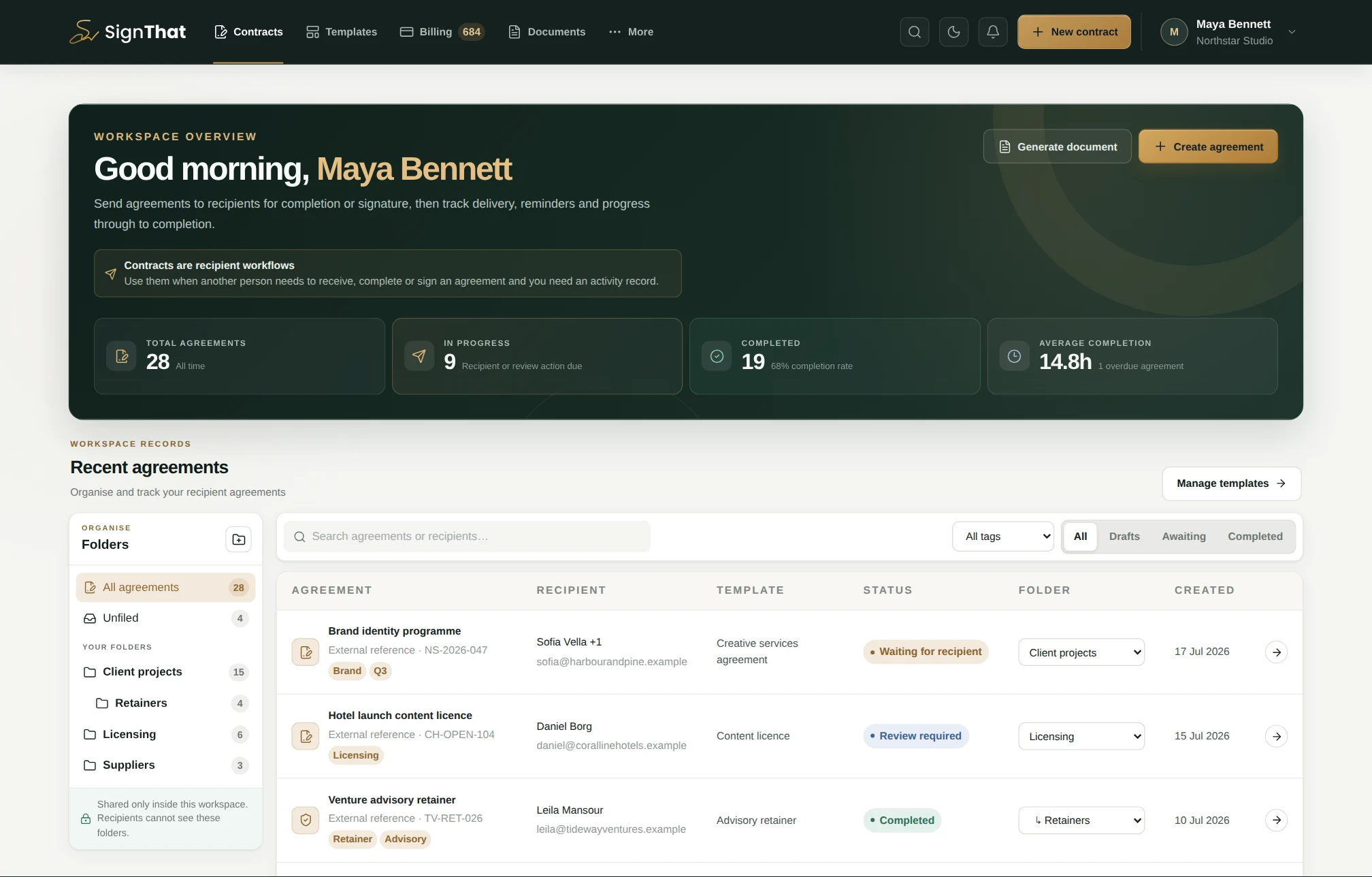
See volume, completion, folders and the agreements that need attention in one calm view.
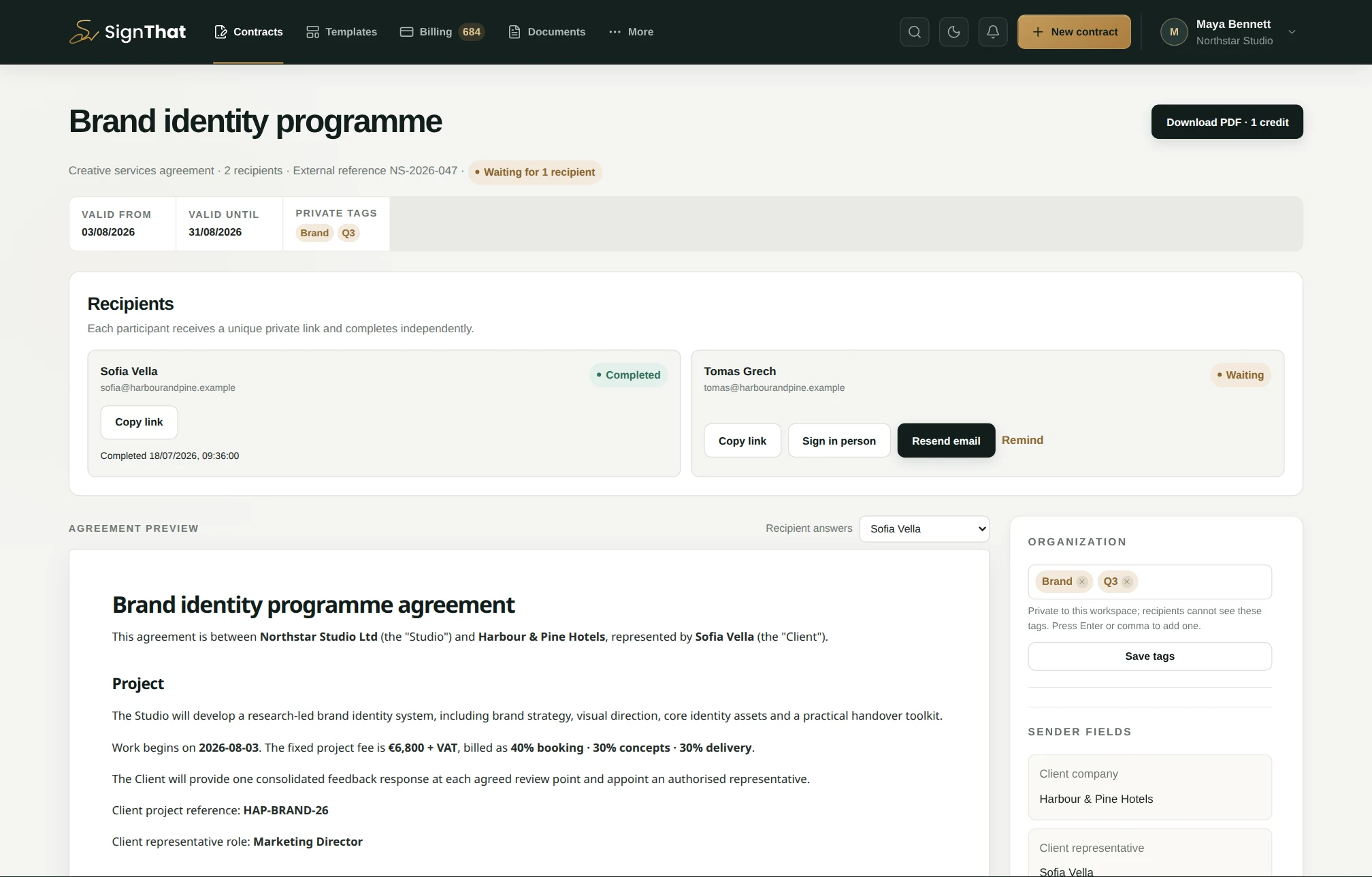
Every recipient, answer and next action stays attached to the agreement.
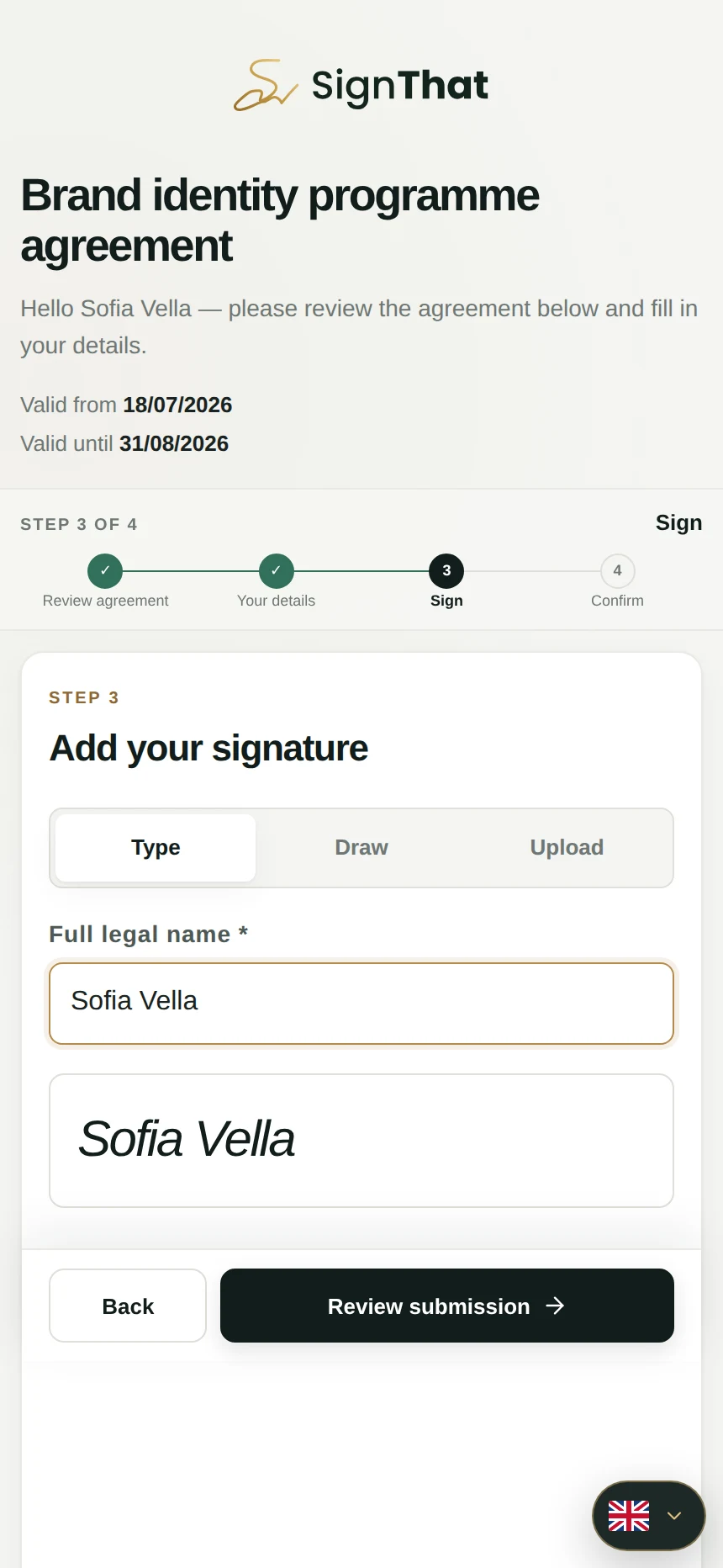
Recipients review, add details, sign and confirm through a focused mobile flow.
Each feature removes a reason an agreement stalls—before sending, while people sign and after the last signature arrives.
Lock in an approved master, save defaults and create consistent agreements without copy-paste drift.
This agreement is between {{company_name}} and {{client_name}}.
Services begin on {{start_date}} for a fee of {{fee}}.
Schedule delivery and polite reminders so progress does not depend on another calendar task.
Add multiple recipients and give each person only the fields and signature step that belong to them.
Delivery, opens, views, reminders and signatures appear in one live trail—so your team knows exactly where to act.
Send a remote link or let a nearby recipient scan a short-lived QR session and sign on their phone. Add consent-based photo evidence when needed.
Turn the same approved templates into completed, immutable PDFs when no recipient workflow is needed.
Organise people into departments and assign Owner, Admin, Editor or Viewer access so everyone has the right level of control.
Add your logo, brand colour, email message and custom-domain setting for a consistent, credible recipient experience.
The signature matters. So do the details that keep the agreement accurate, reviewable, on time and owned by the right people.
Collect the details only each signer can provide.
Approve a signed submission—or return it with feedback—before completion.
Keep agreement-specific questions visible to every participant.
Prepare it now and release the signing request at the right time.
Set the signing window and send a reminder before it closes.
Save reusable customer details and defaults for the next agreement.
Organise the team and give each person the right level of control.
Branded handoffs, completion records, in-person signing, API access and webhooks.
When another system already knows the deal, hire or order is ready, it should start the agreement too. Use the SignThat API to create the document, coordinate recipients, trigger delivery and return the signed result to the record your team already trusts.
Standard agreements only: API-created agreements use standard secure storage. Zero-knowledge creation remains a browser workflow because participant encryption keys never leave their browsers.
curl -X POST https://api.signthat.app/v1/contracts \
  -H 'Authorization: Bearer st_live_…' \
  -H 'Idempotency-Key: order-7821' \
  -d '{
    "template_id": 42,
    "external_id": "order_7821",
    "recipients": [{
      "name": "Jane Smith",
      "email": "jane@example.com"
    }]
}'SignThat’s optional end-to-end encrypted workflow protects contract snapshots, fields and signatures in the browser. The server keeps the workflow moving without holding the key to read the protected contents.
Content can only be decrypted by the sender and intended recipient accounts.
A signed scope starts delivery. A signed order confirms revenue. An accepted offer secures the hire. If the signature unlocks the outcome, the workflow that gets it there deserves to be reliable.
Proposals, NDAs, consulting agreements and statements of work stop living as one-off attachments. Reuse the approved version, personalise it quickly and know exactly when the client is ready for delivery to begin.
Scope, deliverables, fees and signatures—ready to send.
Open the workspace without a card. When an agreement needs to move, buy only the credits you need. They never expire, and every paid action shows its cost before you commit.
Minimum credit purchase
NO CLOCKNeverCredits do not expire
SOLO-FRIENDLYIncludedOne Owner seat
Need more than €500.00? Enter a larger amount above. The best €0.05 per-credit rate is reached at €500.00 and continues for the rest of your purchase.
Clear answers on pricing, recipients, signatures, security and integrations—before your first agreement goes out.
Tell us what has to be signed. We will give you a direct answer—not a sales maze.
Ask SignThat →Email gives you an attachment, not a workflow. SignThat gives each recipient a secure signing step, keeps fields and versions consistent, shows progress, handles reminders and finishes with the signed document and completion record together.
Not for a solo workspace. SignThat uses prepaid, non-expiring credits and includes one Owner seat. Optional Admin, Editor and Viewer seats use a €2.60-per-member monthly team subscription.
Yes. Add multiple recipients to one agreement. Each person receives their own secure link, completes their own fields and signs independently.
Yes. Start a single-use session for a waiting recipient, let them scan the QR code and complete the agreement on their own phone. End-to-end encrypted agreements currently use the normal account-based browser workflow instead.
Yes. Photo verification is an optional contract-level add-on for remote and in-person recipients. SignThat records consent and stores the photo as separate evidence; it does not perform facial recognition.
SignThat captures typed, drawn or uploaded electronic signatures and supporting evidence. They are not represented as qualified electronic signatures. The right signature level depends on your document and applicable law.
The optional encrypted workflow protects the contract snapshot, selected fields and signature responses in the browser. Operational metadata, participant discussion and photo evidence are not covered by that encryption.
Recipients can normally open a secure link and sign without an account. End-to-end encrypted agreements require the intended recipient account so the content can be decrypted.
A standard public signing link remains available for a limited grace period after completion, then expires. A recipient with a matching verified account can continue to access their agreement there; otherwise they should download their copy during the grace period.
Yes. Workspaces can add a logo, brand colour, email message and custom-domain setting for a more consistent recipient experience.
Yes. Workspace owners can generate company API keys to create templates and standard agreements, send recipients, query status and receive signed webhooks. API-created agreements do not use the optional zero-knowledge workflow.
Remove the bottleneck. Give every agreement a clear path from approved to signed.